Banyan Tree, Canvas and Self-Service: where FNU's clinical things live
FNU spreads clinical work across a few systems that share one login. Banyan Tree is the portal, now partly moved to Banyan Tree 2.0 on SharePoint; Canvas holds the courses with clinical instructions, including CB101; Self-Service handles registration. Knowing which system holds what saves time when a deadline is close.
Portal sorted, preceptor not?
Tell us your track and where you plan to do clinicals.
One FNU login for most of it
FNU describes itself as a single-sign-on university. Its Bounds page says your FNU email sign-in also opens Self-Service, Canvas and the protected pages of the Banyan Tree portal. Email runs on Microsoft Outlook, and FNU uses Microsoft Apps for Education, including Teams and OneDrive.
Once you are admitted, FNU sends all communication to your FNU email account. That matters for clinicals, because Clinical Credentialing emails students about compliance in Week 1 of the term before Clinical Bound, and that message goes to the FNU address rather than a personal inbox.
The portal's Apps menu gathers the rest in one place: Canvas, CastleBranch, CourseTune, Email, Grammarly, Kaltura, Microsoft Teams, Microsoft Drive, Self-Service, Simulation IQ and SharePoint. Proctored exams use a separate application, Examplify.
Banyan Tree and the move to Banyan Tree 2.0
Banyan Tree is FNU's web portal at portal.frontier.edu. The catalog says students are notified of catalog changes through it, and faculty, staff, preceptors, students and contractors all use it. FNU's portal page adds that “Alumni and preceptors have general user access.”
Some of it has moved. The Clinical Credentialing page now says its content has moved to Banyan Tree 2.0, a SharePoint site at frontieredu.sharepoint.com, and the old portal pages for Clinical Outreach and Placement, Academic Advising, Admissions and Financial Aid point there too. The Portal link in the frontier.edu header also goes to SharePoint.
In practice, clinical students use both. Pages such as Student Links, Case Days and the preceptor pages still sit on the older portal, while the credentialing and placement team pages live on Banyan Tree 2.0. If a bookmark lands on a page that only says the content has moved, follow it to SharePoint and sign in with your FNU account.
Canvas: where the clinical instructions sit
Canvas is FNU's learning management system. Beyond your didactic courses, a few Canvas courses carry clinical instructions rather than content you study for an exam.
- BT101: the orientation course for new students.
- CB101, or Clinical Bound 101: clinical planning, the compliance instructions, the background-check process and Clinical Bound arrival and departure details. The catalog says the CSAF instructions are here as well.
- DNP Prep 101 and
DNP850: where DNP students find the project-site CSAF process and their compliance steps.
Because the CSAF itself goes through the Community Map, students sometimes look for it in Canvas and give up. The instructions live in CB101; the form lives in the Community Map. Syllabi for the 751, 752 and 753 practicum courses also sit in Canvas, and the catalog points to them for rules such as whether hours may be done at your workplace.
Self-Service: registration and the blocks that stop it
Self-Service, at selfservice.frontier.edu, is where you register for courses, update your contact details and pull unofficial transcripts. The catalog sets out a procedure for online registration there.
For clinicals, Self-Service is where a problem somewhere else shows up. If your clinical compliance items are missing from CastleBranch, the catalog says a block prevents registration for Clinical Bound and all courses taken at CB. If no site has been identified and submitted to Clinical Credentialing, you cannot be registered for Clinical Bound at all.
Either way, the fix is never in Self-Service itself. It sits in CastleBranch, in the Community Map or in your preceptor search, and sorting the underlying item is what clears the way to register. Check Self-Service early in the term before Clinical Bound so a block does not surprise you on registration day.
Where each clinical item lives
| What you need | Where it lives | Notes |
|---|---|---|
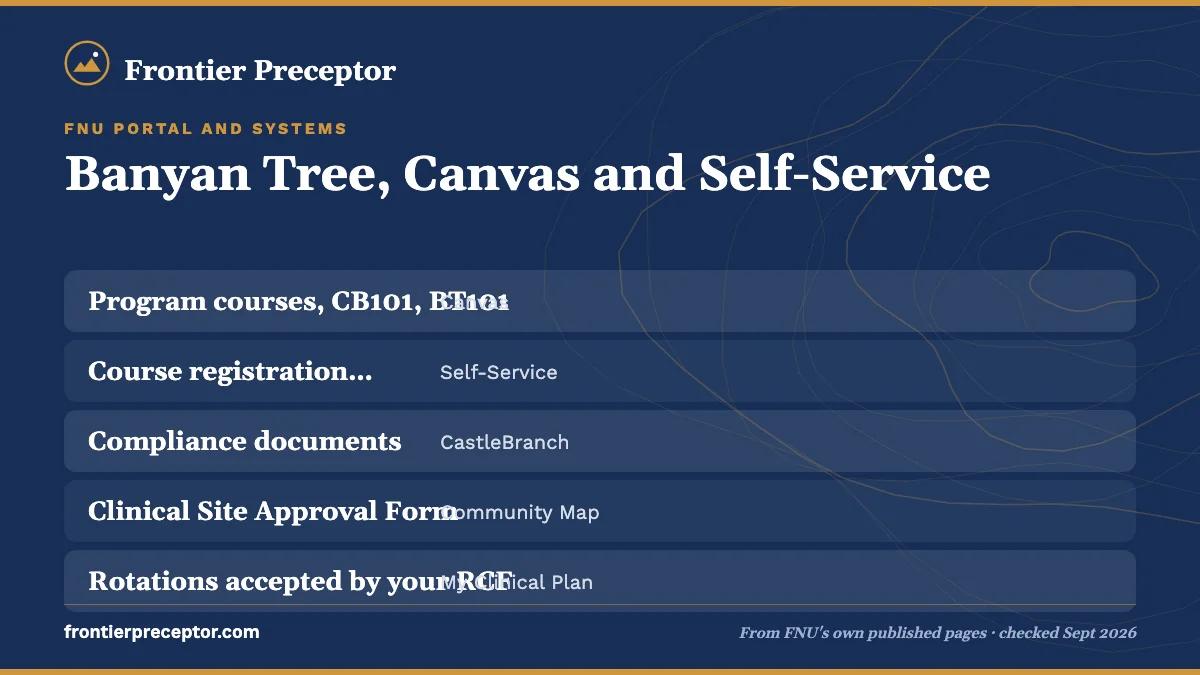
| Program courses, CB101, BT101 | Canvas | CB101 holds clinical planning and compliance instructions |
| Course registration, unofficial transcripts | Self-Service | Registration blocks show up here |
| Compliance documents | CastleBranch | Linked in Banyan Tree under Profile, then My Compliance |
| Clinical Site Approval Form | Community Map | One per site; instructions in CB101 |
| Rotations accepted by your RCF | My Clinical Plan | Your plan across the practicum |
| Hours and visit counts | Clinical Log | Access continues after graduation |
| Preceptor evaluations | Preceptor Login | DDAT, MDAT and EDAT tools |
| Credentialing and placement team pages | Banyan Tree 2.0 (SharePoint) | FNU login required |
| Problem ID Sheet, incident report, APF Form | Banyan Tree Student Links | Listed under Clinical Practicum |
Each of the clinical tools has its own page here: My Clinical Plan, the Clinical Log and preceptor evaluations.
When a page asks you to log in
A lot of FNU's clinical detail sits behind the login, where only an FNU account can open it. The portal's catalog page lists a Spring 2026 catalog and an archive that both need an FNU login, while the public Summer 2026 catalog, revised August 20, 2026, is linked from frontier.edu. The Clinical Site Preparation Timeline, the Health Form Guidelines and Checklist, the credentialing pages and the APF Form on Student Links are login-only too.
When a rule seems to be missing, look in this order: CB101 in Canvas, then the Banyan Tree 2.0 pages for Clinical Credentialing and Clinical Outreach and Placement, then the syllabus for your course. If it is still unclear, ask your Clinical Advisor or your RCF before relying on a forum thread, since forum posts may describe rules FNU has since changed.
What we handle alongside FNU's systems
FNU's portal, Canvas and the Community Map hold your clinical record, and our work is everything that feeds into them. A placement advisor finds a preceptor and site that suit your track, then collects the preceptor, site and contact details you will enter on the CSAF and that Clinical Credentialing asks for, so each form goes in whole.
You submit from your own account with nothing left to chase, and your RCF and Clinical Credentialing take it from there. If the portal makes sense but the preceptor search has stalled, tell us where you are.
Questions FNU students ask
What is Banyan Tree 2.0?
Banyan Tree 2.0 is FNU's newer portal space on SharePoint, at frontieredu.sharepoint.com. Pages for Clinical Credentialing, Clinical Outreach and Placement, Academic Advising, Admissions and Financial Aid have moved there from the older Banyan Tree portal. You sign in with your FNU email account, the same single sign-on used for Canvas and Self-Service.
Is the CSAF in Canvas or in the Community Map?
Both are involved, in different ways. According to the catalog, the instructions for the Clinical Site Approval Form are in the CB101 course in Canvas, but the form itself is submitted through the Community Map. DNP students follow a separate project-site process through DNP850 or DNP Prep 101 in Canvas.
Do preceptors use Banyan Tree too?
Yes. FNU's portal page says alumni and preceptors have general user access. Preceptors complete student evaluations through the Preceptor Login on the portal and keep payment forms in their Preceptor Profile. After you submit a preceptor's contact details, FNU emails them instructions for the Preceptor Login.
What happens to my portal access if I withdraw?
FNU's Banyan Tree page says dismissed or withdrawn students lose portal access right away and keep email for 72 hours. Graduates are treated differently where clinical records are concerned: FNU's students page says you keep Clinical Log access after graduation for all of your submissions.
Where do I link my CastleBranch account?
In Banyan Tree, under Profile and then My Compliance, according to FNU's CastleBranch page. CastleBranch also appears in the portal's Apps menu. FNU describes the account as the secure place for your time-sensitive school and clinical requirements, which are checked before Frontier Bound and again before Clinical Bound.
Related pages
Last checked 2026-09-23
We check these pages against FNU's own published sources. Your Clinical Advisor, your RCF and FNU's current guidelines have the final word.
Your site submitted before Clinical Bound.
Tell us your FNU track, your county and your Clinical Bound date. We look for a preceptor and site that fit FNU's rules for your track, and help you get the CSAF and credentialing details right.
- Matched to your track: CNM/CM, NP, or the right mix FNU allows
- Ready for the CSAF, the RCF and Clinical Credentialing
- In person near you, or telehealth within FNU's caps
Start your placement plan
A placement advisor replies with what an FNU-ready preceptor and site look like for you.